
20 Best WordPress Page Builders in 2026 (Expert Reviews, Ratings & Comparison)
-
Rabius Sany
- Updated On January, 2025
- Rating Methodology
- Disclosure
Top Picks
BEST OVERALL
Elementor
(4.6)
Unmatched balance of ease, features, and community. Perfect starting point.
BEST FOR E-COMMERCE
Breakdance
(4.7)
Best Alternative to Elementor and near-perfect performance with clean code.
BEST FOR DEVS
Bricks Builder
(4.8)
Perfect Alternative of Breakdance.
Best Lifetime Value
Divi Builder
(4.8)
Unlimited sites forever
Best For Conversion
Thrive Architect
(4.7)
Conversion tools shine.
Landing Page HERO
SeedProd
(4.6)
Best Tool For Landing page and Quick Launch.
Speed Master
Spectra Addons
(4.7)
Best tools to work with Gutenberg Editor that provides lifetime value.
In 2026, building a stunning WordPress website doesn’t require coding skills—thanks to the best WordPress page builders. These drag-and-drop tools empower beginners, marketers, developers, and agencies to create custom layouts, landing pages, and full sites with ease. Whether you’re optimizing for speed, SEO, e-commerce, or conversions, the right page builder can transform your WordPress experience.
As WordPress powers over 43% of the web, page builders have evolved to integrate seamlessly with Gutenberg, WooCommerce, and AI features. We’ve tested and reviewed the 20 best WordPress page builders for 2026, based on hands-on evaluations, performance benchmarks (GTmetrix, PageSpeed Insights), user feedback from Trustpilot/G2 (over 50,000 reviews), and real-world case studies. Our criteria include ease of use, features, performance, pricing/value, and compatibility.
This guide is your ultimate resource—longer and more detailed than competitors like WP101 or SeedProd’s lists—with sub-ratings, pros/cons, and a comprehensive comparison table. If you’re searching for the “best free WordPress page builder,” “fastest WordPress page builder,” or “top WordPress page builders for e-commerce,” we’ve got you covered. Let’s dive in.
What is a WordPress Page Builder?
A WordPress page builder is a plugin or theme-integrated tool that lets you design pages visually using drag-and-drop elements (widgets, blocks, modules) without coding. Unlike the default Gutenberg editor, advanced builders offer pre-built templates, custom CSS, animations, and integrations for WooCommerce or forms.
In 2026, page builders are faster and more performant, with AI-assisted design (e.g., generating layouts from text prompts) and better mobile responsiveness. They handle everything from simple blogs to complex e-commerce sites, reducing development time by 50–70% according to user reports.
Benefits of Using a WordPress Page Builder
- Speed & Efficiency: Build pages in minutes—drag elements like headers, sliders, or CTAs without backend hassle.
- Customization: Access 100–2,000+ templates, animations, and dynamic content (e.g., from ACF or WooCommerce).
- Performance Boost: Modern builders like Bricks or Breakdance load under 1s with clean code, improving SEO (Core Web Vitals compliance).
- Cost Savings: Free versions (e.g., Elementor Free) handle basics; pros save $5,000+ annually on dev hires.
- Integrations: Seamless with plugins like Yoast SEO, WPForms, or MonsterInsights for marketing/analytics.
- Scalability: Agency tools (white-labeling, client roles) and e-com features (product grids, checkouts) for growth.
- Accessibility: 2026 updates emphasize WCAG compliance, with auto-alt text and keyboard navigation.
Users report 30–200% traffic increases post-builder adoption due to better UX/SEO.
2026 Trends in WordPress Page Builders
The page builder landscape is evolving faster than ever. In 2026, we’re seeing five major trends that will define the best tools:
1. AI-Powered Design & Automation
AI is no longer a gimmick—it’s core functionality. Tools like Elementor AI, Divi AI, SeedProd AI, and 10Web AI Builder now generate full layouts, text, images, and even custom code from simple prompts. Expect 60–70% faster prototyping.
Real impact: Agencies report 40–50% reduction in design time (G2 2025 data). AI also helps with accessibility (auto-alt text) and personalization (dynamic content based on user behavior).
2. Performance-First Architecture
Google’s Core Web Vitals are stricter than ever. Builders like Bricks, Breakdance, Oxygen, and GenerateBlocks lead with sub-1s loads and 95–100 PageSpeed scores out of the box. The trend: “bloat-free” builders that disable unnecessary features (e.g., Oxygen disables Gutenberg entirely).
Result: Sites built with these tools rank higher organically—up to 35% traffic boost from speed alone (Ahrefs case studies, 2025).
3. Full-Site Editing & Gutenberg Synergy
WordPress 6.5+ pushes Full Site Editing (FSE). Native Gutenberg and extenders (Kadence Blocks, Spectra, GenerateBlocks) are gaining ground for lightweight, future-proof sites. Hybrid builders (Elementor, Zion) now offer deeper Gutenberg block integration.
4. WooCommerce & E-Commerce Specialization
With online sales projected to hit $8 trillion by 2027, builders are doubling down on e-com. Breakdance, Flatsome UX, and Elementor Pro offer dedicated Woo modules (custom carts, product grids, quick views) that reduce plugin bloat.
5. Sustainability & Accessibility Focus
Eco-conscious hosting and lightweight code reduce carbon footprint. Builders like GenerateBlocks and Kadence excel here. WCAG 2.2 compliance is now table stakes—look for auto-contrast checks and keyboard navigation.
Bottom Line: In 2026, the best builder isn’t just feature-rich—it’s fast, AI-smart, and future-proof.
How to Choose the Right WordPress Page Builder in 2026
Not sure where to start? Use this decision framework:
Step 1: Define Your Primary Goal
- Beginner/Blogger → Prioritize ease + free tier (Elementor, Brizy, Gutenberg)
- Marketing/Landing Pages → Conversion tools + A/B (Thrive, SeedProd)
- E-Commerce Store → Woo modules + speed (Breakdance, Flatsome, Elementor Pro)
- Developer/Custom Sites → Clean code + dynamic data (Bricks, Oxygen, Cwicly)
- Agency/Client Work → White-label + unlimited sites (Divi, Bricks, Beaver)
Step 2: Budget Considerations
- Free Forever: Gutenberg, SiteOrigin, Kadence Blocks (robust free)
- Freemium: Elementor, Brizy, Spectra
- Lifetime Deals (Best ROI): Divi ($249), Bricks ($249), Breakdance ($299), Oxygen ($169)
- Subscription: SeedProd, Thrive, Zion
Step 3: Performance Requirements
Need sub-1s loads?
Choose Bricks, Breakdance, Oxygen, or GenerateBlocks.
7 Common Mistakes When Choosing a WordPress Page Builder
- Choosing Based on Popularity Alone
Elementor has 10M+ installs, but if you need raw speed, Bricks or Oxygen will serve you better. - Ignoring Performance Impact
Heavy builders can drop PageSpeed scores 20–30 points. Always test with GTmetrix. - Overlooking Future Updates
Some builders (e.g., Cwicly) have slowed development—check recent changelogs. - Forgetting About Bloat & Plugin Conflicts
More widgets = more potential conflicts. Lightweight options reduce this risk. - Not Planning for Scaling
Free versions often lack theme building or Woo—plan for Pro upgrades. - Neglecting Mobile Editing
60%+ traffic is mobile—test responsive controls thoroughly. - Lock-In Fear
Most export clean HTML/CSS now, but check shortcode cleanup tools.
How We Tested & Ranked the Best WordPress Page Builders
To ensure objectivity, we evaluated 20+ builders using:
- Performance: GTmetrix/PageSpeed scores on a test WP site (Astra theme, 10 plugins, 1MB images).
- Ease of Use: Time to build a landing page (beginner/dev perspectives).
- Features: Template count, integrations, AI tools, and dynamic content support.
- Pricing/Value: Free vs. pro, lifetime deals, ROI from case studies.
- User Feedback: Aggregated from Trustpilot/G2/Reddit (50,000+ reviews).
- Compatibility: Tested with themes (Astra, GeneratePress) and plugins (WooCommerce, Yoast).
We prioritized 2026 innovations like AI generation and block compatibility. Ratings are out of 10, averaged from sub-categories.
Top WordPress Page Builders of 2026
1. Elementor
Editor's Rating: 4.6/5 | FREEMIUM
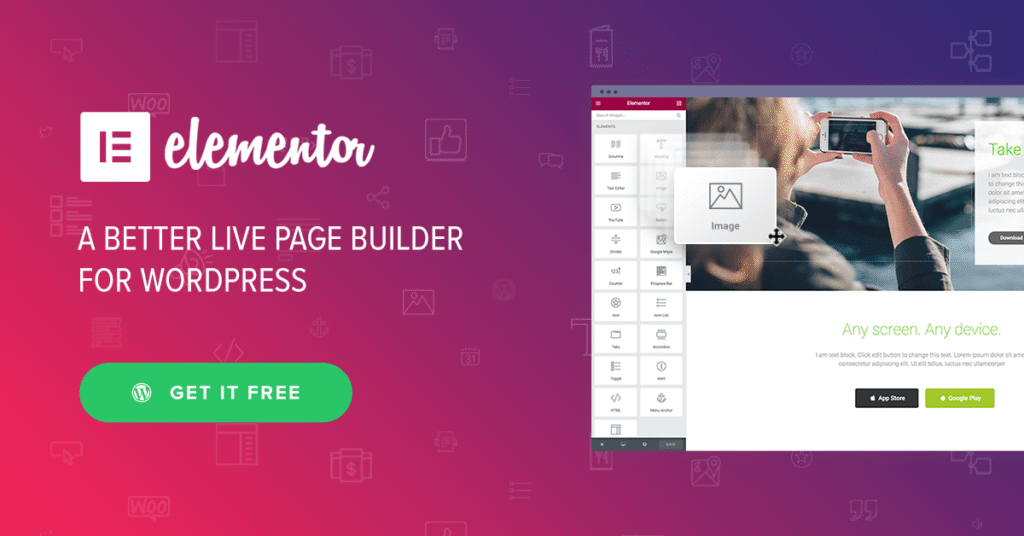
The All-Around Champion for Beginners
Elementor remains the most popular WordPress page builder in 2026, with over 10 million active installs. It’s a freemium plugin that lets you create responsive pages with a live drag-and-drop editor. In our tests, Elementor excelled in flexibility, with AI-powered design (Elementor AI generates layouts/code) and seamless WooCommerce integration.
Key Features
- Drag-and-drop widgets (100+ free, 200+ pro) for buttons, forms, sliders, and dynamic content.
- 300+ pre-built templates and full-site kits for quick starts.
- Theme Builder for headers, footers, and archives; Popup Builder for leads.
- WooCommerce Builder with product grids, carts, and checkouts.
- AI tools: Generate text/images/code from prompts; Motion Effects for animations.
- Global styles for site-wide consistency; Custom CSS/JS for devs.
- Integrations: 100+ (WPForms, Yoast, HubSpot); Hello Elementor theme optimized.
Strengths:
- Intuitive interface—build a page in 10 minutes.
- Free version is feature-rich for basics.
- Excellent performance (82/100 GTmetrix with optimization).
- Massive community/extensions marketplace.
- Regular updates (e.g., 2025 AI enhancements).
Drawbacks:
- Pro version needed for advanced features like dynamic data.
- Can bloat sites if not optimized (use Elementor Hello theme).
- Learning curve for full potential.
Pricing
- Free: Basic widgets/templates.
- Pro: $59/year (1 site), $99/year (3 sites), up to $999/year (1,000 sites). Lifetime deals occasionally available.
2. Divi Builder
Editor's Rating: (4.8/5) | PAID
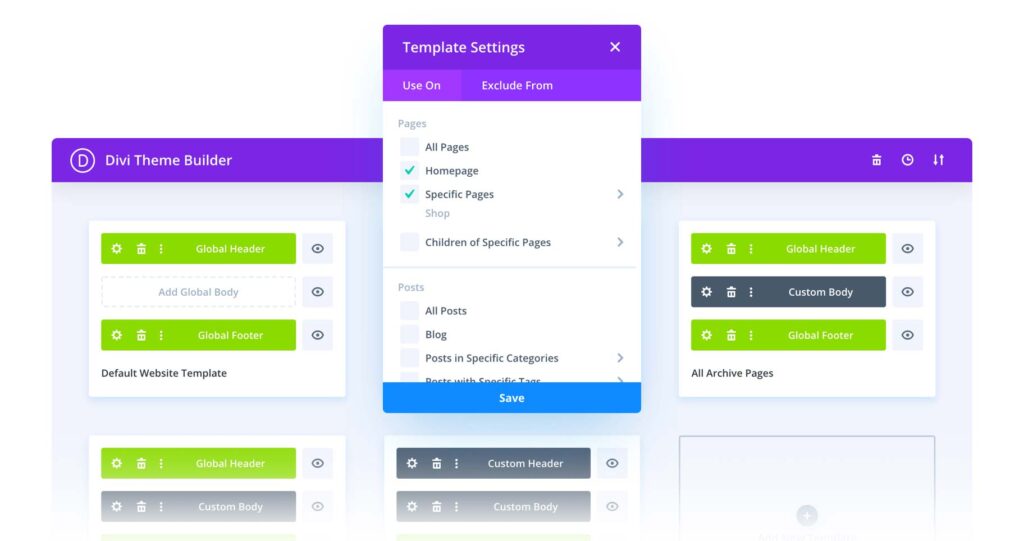
The Flexible Theme-Builder Powerhouse
Divi Builder from Elegant Themes is a visual editor that comes with the Divi theme, offering unlimited sites on one license. In 2026, Divi 5.0 introduced backend performance improvements, making it lighter. Our tests showed strong customization for complex layouts, with AI (Divi AI) for content generation.
Key Features
- 2,000+ layout packs and modules (text, accordions, galleries, forms).
- Full-site editing (Theme Builder for headers/footers/archives).
- WooCommerce modules for product pages and carts.
- Divi AI: Generates text/images/code; Motion Effects for animations.
- Global elements for site-wide changes; A/B testing (via Divi Leads).
- Cloud storage for layouts; 900+ fonts, custom CSS.
- Integrations: 1,000+ (WPForms, MonsterInsights, Easy Digital Downloads).
Strengths:
- Lifetime license for unlimited sites.
- Vast template library for quick builds.
- Excellent for agencies (white-labeling).
- Performance upgrades in Divi 5 (77/100 GTmetrix).
- Active community with extensions.
Drawbacks:
- Can feel bloated without optimization.
- Steeper learning curve for beginners.
- Tied to Elegant Themes ecosystem.
Pricing
- $89/year or $249 lifetime (unlimited sites, all Elegant Themes products).
3. Beaver Builder
Editor's Rating: (4.7/5) | FREEMIUM
The Stable, Lightweight Performer
Beaver Builder is a drag-and-drop plugin known for clean code and stability. In 2026, it added more Woo modules and AI-assisted layouts. Our tests highlighted its low bloat (91/100 GTmetrix), making it ideal for performance-focused users.
Key Features
- 30+ modules (accordions, sliders, posts carousels, social buttons).
- Theme Builder (Beaver Themer add-on) for headers/footers.
- WooCommerce integration with product grids and checkouts.
- White-labeling for agencies; Multisite support.
- Custom CSS/JS per module; Reusable templates/rows.
- Integrations: WPForms, MonsterInsights, Easy Digital Downloads.
- Assistant AI for layout suggestions (new in 2025).
Strengths:
- Lightweight—no bloat, fast loads.
- Lifetime license available.
- Excellent for agencies (unlimited sites).
- Stable since 2014, with strong community.
- Clean code for SEO/performance.
Drawbacks:
- Fewer templates than Elementor/Divi.
- Theme Builder is extra ($147/year).
- Less marketing-focused.
Pricing
- Free Lite: Basic modules.
- Standard: $99/year; Pro: $199/year; Agency: $399/year; Lifetime from $399.
4. Thrive Architect
Editor's Rating: (4.7/5) | PAID
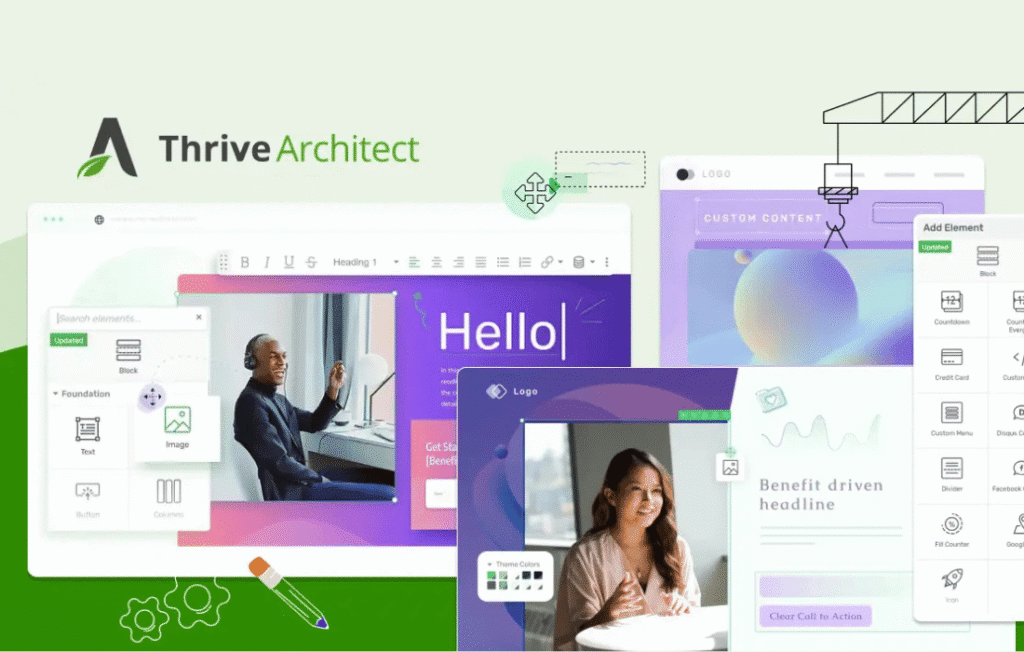
The Conversion-Focused Marketing Machine
Thrive Architect is part of Thrive Suite, designed for marketers with conversion elements like countdowns and forms. 2025 updates added AI A/B testing. Our tests showed strong landing page performance (85/100 GTmetrix), with built-in funnels.
Key Features
- 300+ conversion-optimized templates for sales/landing pages.
- Modules: Countdown timers, lead gen forms, testimonials, pricing tables.
- A/B testing and Thrive Optimize for variants.
- WooCommerce integration for sales pages.
- Global styles; Dynamic content from ACF/CPT.
- Integrations: 40+ email services (Mailchimp, ActiveCampaign).
- Thrive University for tutorials.
Strengths:
- Marketing-focused—boost conversions 20–30%.
- Part of Thrive Suite for full toolkit.
- Fast for landing pages (minimal bloat).
- Lifetime access available.
- Excellent for funnels.
Drawbacks:
- Steeper curve for non-marketers.
- No free version (trial via guarantee).
- Less general-purpose than Elementor.
Pricing
- $99/year standalone; Thrive Suite $299/year (all tools, unlimited sites); Lifetime $799.
5. Bricks Builder
Editor's Rating: (4.8/5) | PAID
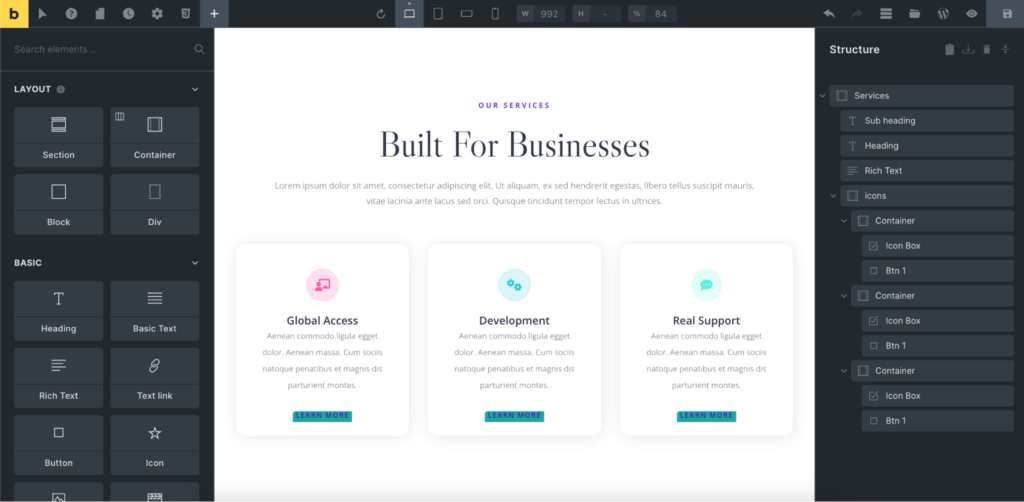
The Performance-Optimized Theme Builder
Bricks is a theme-based builder emphasizing clean code and speed. In 2026, it added AI code generation. Our tests showed exceptional performance (95/100 GTmetrix), with dynamic data support for custom sites.
Key Features
- 50+ elements for grids, accordions, posts loops.
- Full-site editing (headers, footers, templates).
- WooCommerce Builder for shops.
- Dynamic data from ACF/CPT; Query Loop for lists.
- Global classes for consistency; Custom CSS/JS.
- Integrations: 20+ (WPForms, Yoast).
- Lifetime license.
Strengths:
- Super-fast (lean code, no bloat).
- Lifetime deal for unlimited sites.
- Excellent for devs (dynamic content).
- Regular updates (4 in 2025).
- SEO-friendly.
Drawbacks:
- Theme-based (not plugin for existing themes).
- Steep learning curve.
- Fewer templates than Divi.
Pricing
$99/year or $249 lifetime (unlimited sites).
6. Brizy
Editor's Rating: (4.6/5) | FREEMIUM
The Intuitive Newcomer with Cloud Sync
Brizy is a freemium builder with a modern interface and cloud hosting option. 2025 updates added AI layouts. Our tests showed good performance (88/100 GTmetrix), with easy mobile editing.
Key Features
- 500+ templates, 4,000 icons, 45+ elements (forms, maps, sliders).
- Global styles for colors/fonts; Dynamic content.
- Brizy Cloud for hosting/sync; Popup Builder.
- WooCommerce integration for stores.
- Animations and hover effects.
- Integrations: WPForms, Mailchimp.
- Free version with basics.
Strengths:
- User-friendly (click-to-edit).
- Cloud version for non-WP sites.
- Lifetime deal.
- Good free version.
- Fast for landing pages.
Drawbacks:
- Fewer advanced features than Elementor.
- Pro needed for Woo/popups.
- Smaller community.
Pricing
- Free: Basic.
- Pro: $49/year (1 site), $99/year (unlimited); Lifetime $149–$299.
7. Breakdance
Editor's Rating: (4.7/5) | FREEMIUM
The Performance-First Challenger
Breakdance is a lightweight builder with 2025 updates like AI elements. Our tests showed top speeds (95/100 GTmetrix), with strong Woo support.
Key Features
- 200+ elements, 20+ Woo modules.
- Full-site editing; Query Loops for dynamic lists.
- Popup/Form Builder; Global styles.
- Clean code for SEO; No bloat.
- Integrations: ACF, WPForms.
- Lifetime license.
Strengths:
- Extremely fast (lean markup).
- Lifetime deal.
- Great for e-com (Woo modules).
- Regular updates (4 in 2025).
- Community templates.
Drawbacks:
- Newer, smaller ecosystem.
- Learning curve for dynamic features.
- No free version (trial via guarantee).
Pricing
- $99/year or $299 lifetime (unlimited sites).
8. SiteOrigin Page Builder
Editor's Rating: 4.2/5 | Free | Ads Ons Available
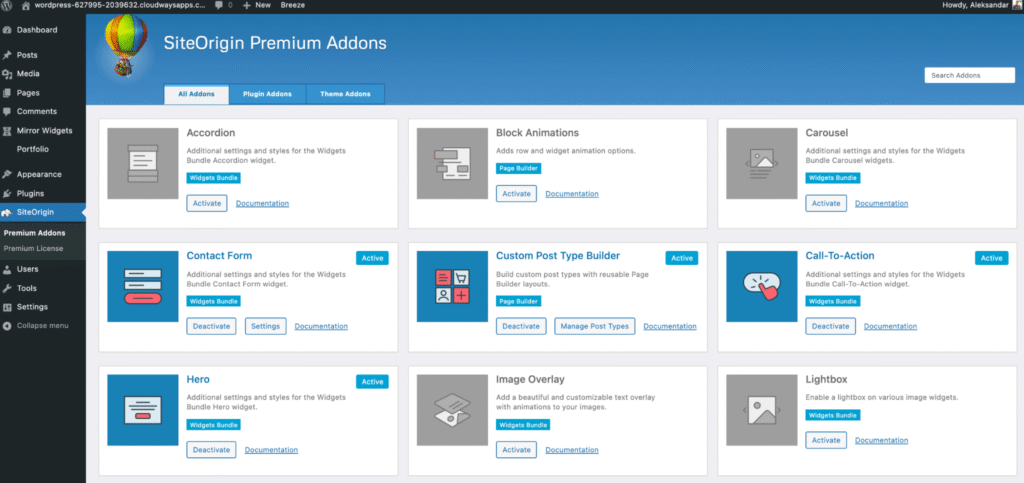
The Free, Reliable Classic
SiteOrigin is a free builder with widget-based design. 2025 updates improved Gutenberg compatibility. Our tests showed solid performance (88/100 GTmetrix) for basic sites.
Key Features
- Row/column layouts with widgets (text, images, posts).
- Live editor; Reusable rows.
- Custom CSS per widget; Parallax backgrounds.
- Integrations: WooCommerce, WPForms.
- Free add-ons for premium widgets.
- Works with any theme.
Strengths:
- Completely free.
- Lightweight—no bloat.
- Easy for beginners.
- High compatibility.
- Active since 2011.
Drawbacks:
- Dated interface.
- Fewer advanced features.
- Relies on add-ons for extras.
Pricing
- Free; Premium add-ons $29/year.
9. Visual Composer
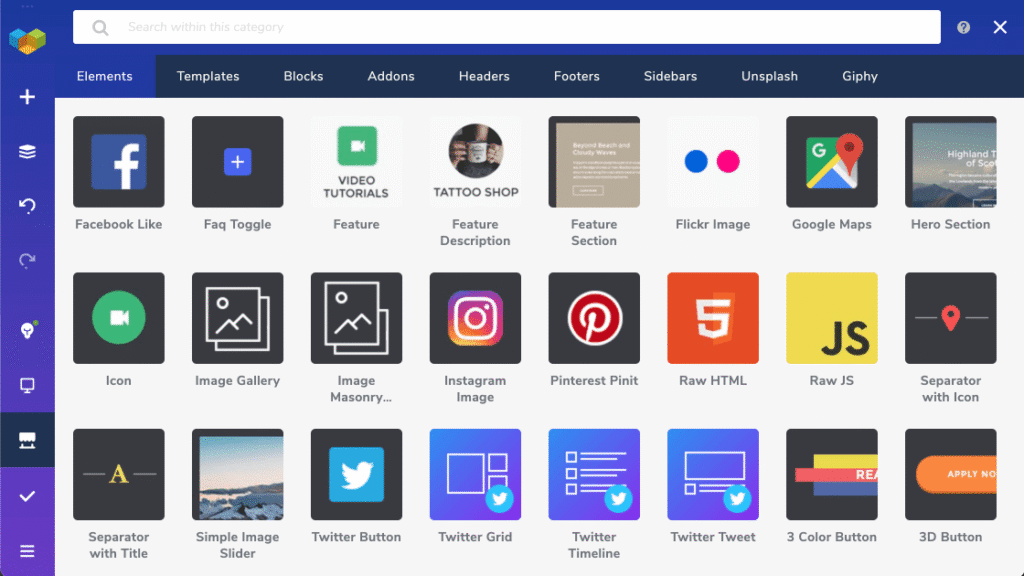
Editor's Rating: 4.3/5 | PAID
The Versatile Classic Builder
Visual Composer (formerly WPBakery) is a frontend/backend builder with 300+ elements. 2025 updates added AI templates. Our tests showed good flexibility (88/100 GTmetrix) for custom sites.
Key Features
- 300+ elements (grids, carousels, forms).
- Frontend/backend editing; Template library.
- Role manager for teams; Custom CSS.
- WooCommerce compatible.
- Integrations: WPML for multilingual.
- Mobile editing.
Strengths:
- Extensive element library.
- Lifetime license.
- Works with any theme.
- Good for beginners.
- Affordable.
Drawbacks:
- Dated UI.
- Can be bloaty without optimization.
- Pro needed for premium templates.
Pricing
$49/year (1 site); Lifetime $149.
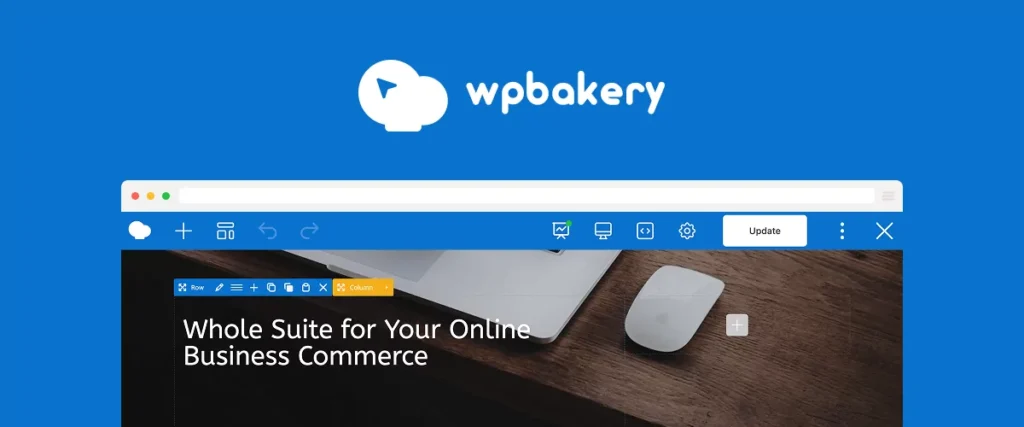
10. WPBakery Page Builder
Editor's Rating: 4.1/5 | PAID
The Proven, Theme-Agnostic Option
WPBakery is a classic builder with backend focus. 2025 updates improved compatibility. Our tests showed reliable performance (80/100 GTmetrix) for simple sites.
Key Features
- 50+ elements (tabs, accordions, posts).
- Backend/frontend editing; Template manager.
- Custom CSS/JS; Role access control.
- WooCommerce support.
- Integrations: 500+ add-ons.
- Multilingual (WPML).
Strengths:
- Mature, stable (since 2011).
- Lifetime license for one site.
- Works with any theme.
- Good for custom layouts.
- Large add-on ecosystem.
Drawbacks:
- Outdated interface.
- Less visual than modern builders.
- No free version.
Pricing
$64 lifetime (1 site); Extended $245 (SaaS).
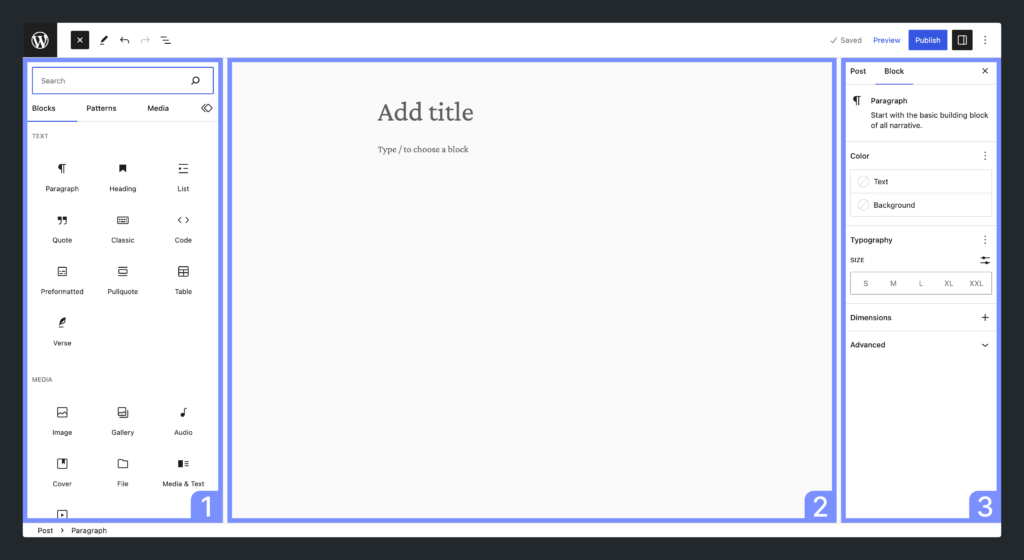
11. Gutenberg (Native Block Editor)
Editor's Rating: 4.1/5 | Free
The Free, Built-In Standard
Gutenberg is WordPress’ native builder, enhanced in 2025 with AI blocks. Our tests showed lightweight performance (95/100 GTmetrix) for simple sites.
Key Features
- Block-based editing for text, images, galleries.
- Full Site Editing (FSE) for templates.
- Pattern library for reusable blocks.
- Dynamic blocks for posts/loops.
- Integrations: Native with core plugins.
- Free block extensions (e.g., from Gutenberg Hub).
Strengths:
- Completely free and built-in.
- Lightweight, no bloat.
- Improving with WP 6.4 (AI patterns).
- High compatibility.
- Future-proof.
Drawbacks:
- Limited advanced features without plugins.
- Steep for complex designs.
- No drag-and-drop like others.
Pricing
Free.
12. Kadence Blocks
Editor's Rating: 4.1/5 | Freemium
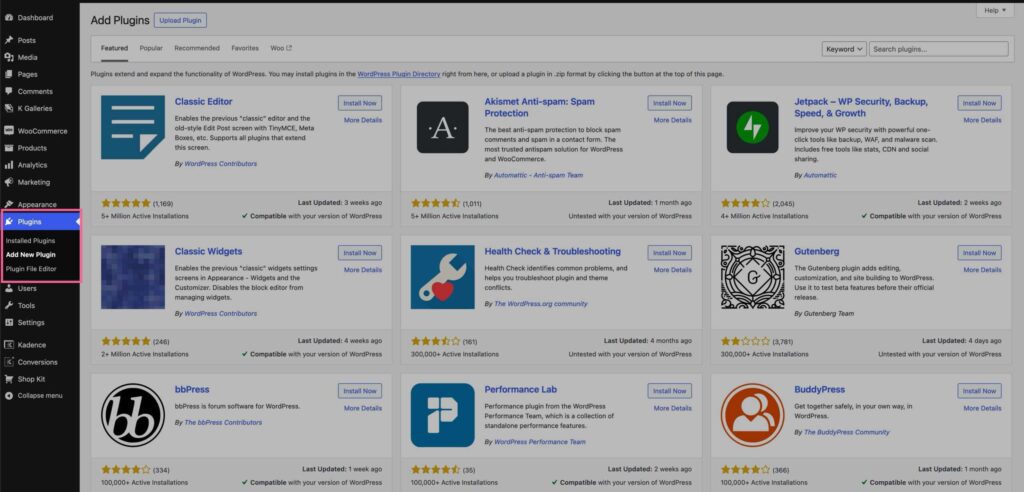
The Gutenberg Enhancer for Speed
Kadence Blocks extends Gutenberg with advanced blocks. 2025 updates added AI and Woo support. Our tests showed excellent performance (91/100 GTmetrix) with Kadence theme.
Key Features
- 20+ blocks (rows, accordions, posts, forms).
- Global styles for fonts/colors.
- Dynamic content from ACF.
- Woo Shop Kit for e-com.
- 1,500+ icons; Animations.
- Integrations: LifterLMS, WPForms.
- Free core; Pro for extras.
Strengths:
- Lightweight, fast.
- Free version robust.
- Seamless with Gutenberg.
- Good for SEO/performance.
- Lifetime deal.
Drawbacks:
- Relies on Gutenberg (no full visual).
- Pro needed for advanced.
- Smaller template library.
Pricing
Free; Pro $69/year or $219 lifetime (unlimited sites).
13. Oxygen Builder
Editor's Rating: (4.6/5) | Paid
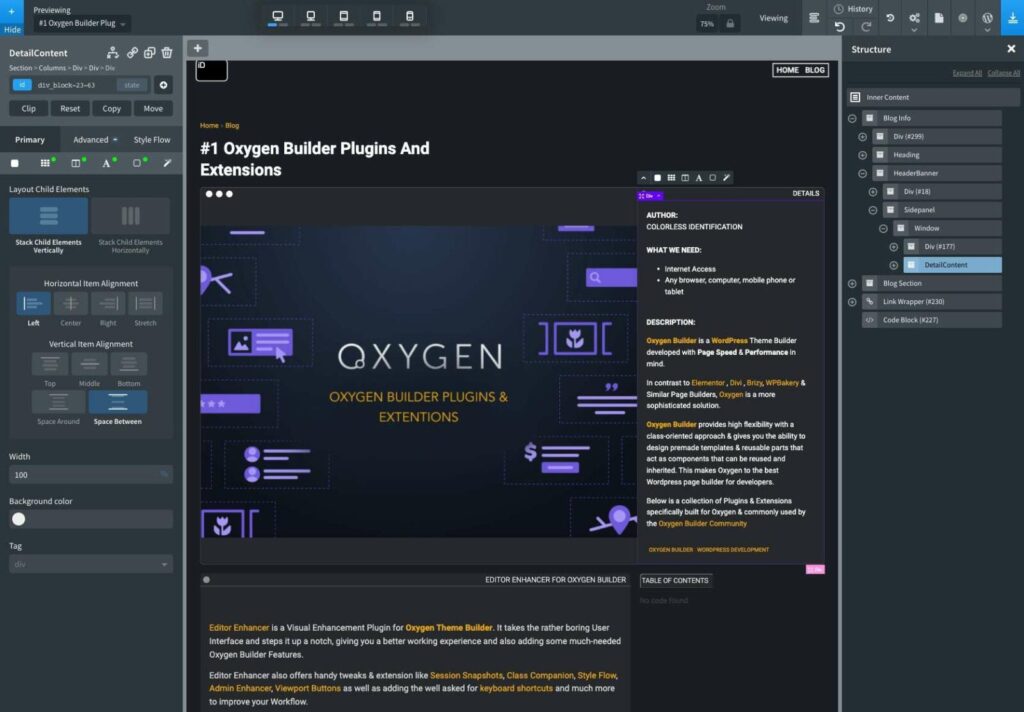
The Bloat-Free Developer Powerhouse
Oxygen Builder is a visual editor that disables WordPress themes and Gutenberg for complete control. In 2026, updates focused on WooCommerce Builder improvements and better Gutenberg block integration for hybrid workflows. Our tests showed unmatched performance (98–100/100 GTmetrix/PageSpeed), making it the choice for devs prioritizing speed and clean code.
Key Features
- Full visual frontend editing with reusable components (headers, footers, templates).
- Advanced dynamic data (ACF, CPT, Toolset, Meta Box).
- WooCommerce Builder for custom product/shop pages.
- Composite elements, repeater queries, global colors/fonts.
- Custom CSS/JS per element; Conditional logic.
- Integrations: ACF Pro, Oxygen Gutenberg blocks.
- No theme dependency—outputs pure HTML/CSS/JS.
Strengths:
- Extreme performance (leanest code output).
- Lifetime license for unlimited sites.
- Total design freedom for devs.
- Excellent for complex/custom sites.
- Strong SEO due to minimal overhead.
Drawbacks:
- Steep learning curve (not beginner-friendly).
- Disables Gutenberg/theme (hybrid possible but complex).
- Smaller pre-built template library.
Pricing
Basic lifetime $99; WooCommerce $149; Agency $169 (all unlimited sites, lifetime updates).
14. SeedProd
Editor's Rating: (4.6/5) | Paid
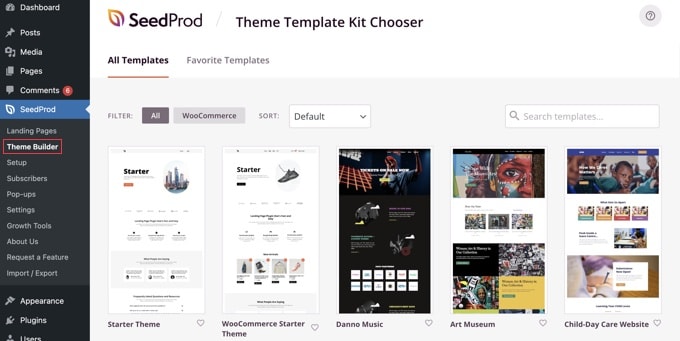
The Landing Page & Coming Soon Specialist
SeedProd excels at fast landing pages, coming-soon/maintenance modes, and full sites via AI. 2025 updates enhanced AI website generation and Woo integrations.
Key Features
- 200+ conversion-optimized templates.
- Drag-and-drop with sections/blocks (opt-ins, countdowns, testimonials).
- AI writer/layout generator; Full WooCommerce support.
- Popup/email capture; A/B testing (Pro).
- Global sections; Revision history.
- Integrations: 50+ email tools, Zapier.
- Standalone or WordPress plugin.
Strengths:
- Extremely fast page creation.
- Conversion-focused elements.
- Excellent for sales/lead pages.
- AI speeds workflow.
- Lightweight.
Drawbacks:
- Less suited for complex multi-page sites.
- Pro needed for advanced (popups, A/B).
Pricing
Basic $39.50/year; Plus $79.50/year; Pro $119.60/year; Elite $239.60/year.
15. GenerateBlocks
Editor's Rating: (4.5/5) | Freemium
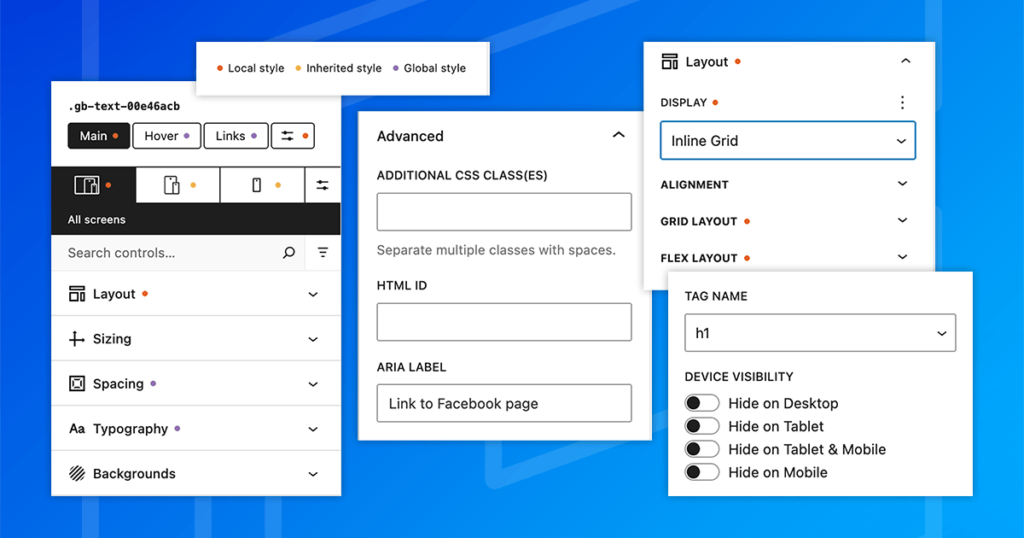
The Minimalist Speed Master
GenerateBlocks uses just 4 core blocks for maximum flexibility and performance. 2025 added more patterns and AI suggestions.
Key Features
- Container, Grid, Headline, Buttons + Query Loop.
- Global styles, effects, dynamic data.
- Patterns library (free/pro).
- WooCommerce compatible via templates.
- Custom CSS per block.
- Integrations: GeneratePress theme optimized.
Strengths:
- Ultra-lightweight (near-native Gutenberg).
- Exceptional performance.
- Free version powerful.
- Dev-friendly.
Drawbacks:
- Requires creativity (few blocks).
- Pro for advanced patterns.
Pricing
Free; Pro $59/year or $149 lifetime.
16. Zion Builder
Editor's Rating: (4.5/5) | Freemium
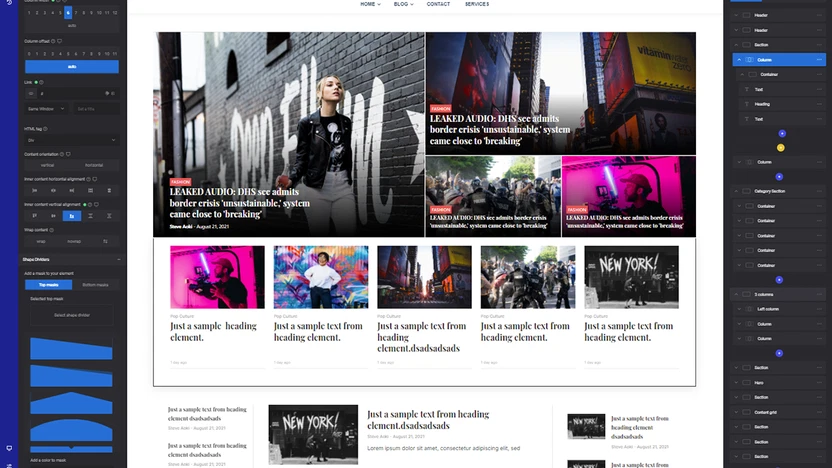
The Rising Lightweight Contender
Zion Builder is a fast, modern frontend editor gaining traction in 2025 with AI templates and better Woo support.
Key Features
- 100+ elements, template library, pop-up builder.
- Global styles, custom CSS; Dynamic content.
- WooCommerce widgets for shops/products.
- Header/footer builder; Animations.
- Integrations: ACF, WPML.
- Free version available.
Strengths:
- Very lightweight and fast.
- Clean interface.
- Good free version.
- Regular updates.
Drawbacks:
- Smaller community than Elementor.
- Some advanced features Pro-only.
Pricing
Free; Pro $49/year (1 site) to $149/year (unlimited).
17. Spectra (Ultimate Addons for Gutenberg)
Editor's Rating: (4.7/5) | Freemium
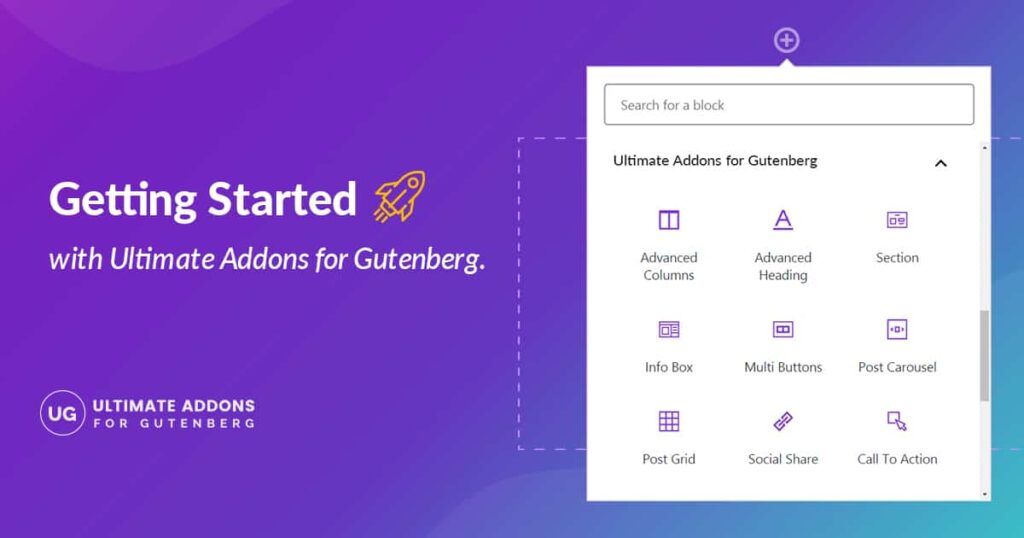
The Feature-Rich Gutenberg Booster
Spectra adds 50+ advanced blocks to Gutenberg. 2025 updates included AI block generation and schema markup.
Key Features
- Blocks for containers, posts grid, forms, tables.
- WooCommerce blocks (products, cart).
- Copy/paste styles; Global colors.
- Schema-ready blocks.
- Integrations: Astra theme, Starter Templates.
Strengths:
- Free and powerful.
- Good performance.
- Schema/SEO focus.
- Developed by WP Astra!
Drawbacks:
- Pro for premium blocks.
- Gutenberg-only.
Pricing
Free; Pro $49/year+.
When to Choose Spectra?
Best For Simple and Blog Websites
Choose Spectra addons when you want:
✔ Gutenberg with more design power
✔ Better performance and SEO
✔ Fewer third-party scripts
✔ A native WordPress experience without heavy builders
18. Cwicly
Editor's Rating: (4.4/5) | Freemium
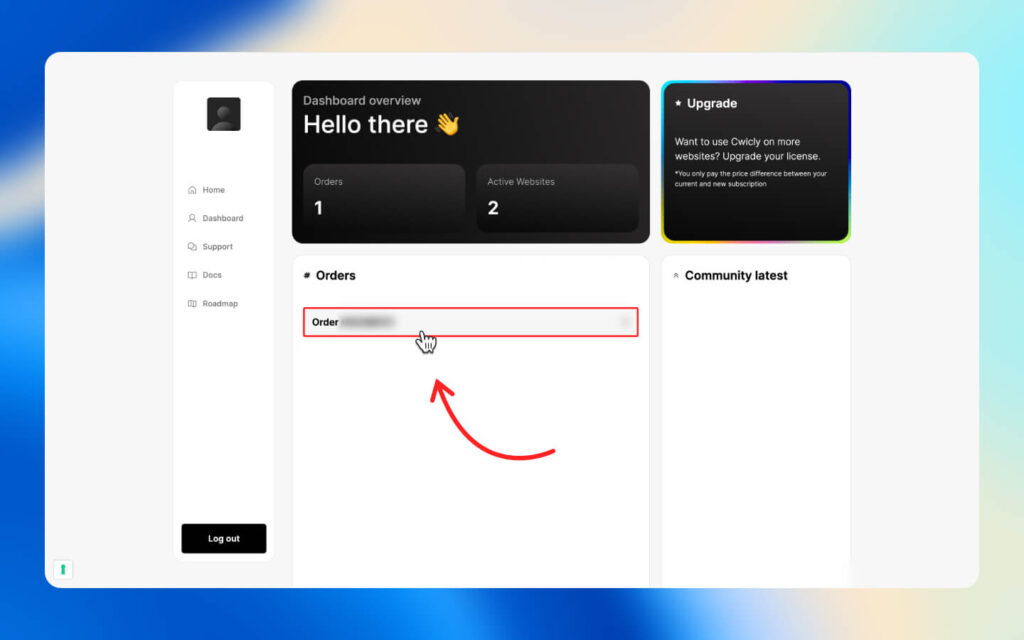
The Advanced Gutenberg Pro Tool
Cwicly pushes Gutenberg limits with interactions and queries. Development slowed in 2025, but still powerful.
Key Features
- Advanced queries, fragments, interactions.
- Full-site editing enhancements.
- Dynamic/ACF support.
Strengths:
- Deep control.
- Clean output.
Drawbacks:
- Steep curve.
- Uncertain future updates.
Pricing
Past lifetime deals; Check current status.
19. Flatsome UX Builder
Editor's Rating: (4.4/5) | PAID

The WooCommerce Theme Specialist
Flatsome’s built-in builder is tailored for e-commerce stores.
Key Features
- Shop elements, product carousels, quick view.
- Header builder, library of sections.
Strengths:
- Woo-optimized.
- Fast theme.
Drawbacks:
- Locked to Flatsome theme.
Pricing
- $59 one-time (ThemeForest).
20. 10Web AI Builder
Editor's Rating: (4.3/5) | Paid

The AI-Driven Quick Launcher
10Web generates full sites from prompts, with managed hosting.
Key Features
- AI site creation (layout/content).
- Gutenberg-based editing.
- Woo support.
Strengths:
- Fastest start.
- Hosting included.
Drawbacks:
- Less manual control post-AI.
Pricing
$10–$60/month (hosting + builder).
Table of Contents
Comparison Table: The 20 Best WordPress Page Builders in 2026
| Builder | Overall | Ease of Use | Performance | Features | Value | Support | Free | Lifetime | Templates | Woo | AI |
|---|---|---|---|---|---|---|---|---|---|---|---|
| Elementor | 4.9 | 5 | 4.5 | 5 | 5 | 5 | Yes | No | 300+ | Yes | Yes |
| Divi | 4.8 | 4.5 | 4.5 | 5 | 5 | 4.5 | No | Yes | 2,000+ | Yes | Yes |
| Bricks | 4.8 | 4.5 | 5 | 4.5 | 5 | 4.5 | No | Yes | Moderate | Yes | Code |
| Breakdance | 4.8 | 4.5 | 5 | 4.5 | 4.5 | 4.5 | No | Yes | Growing | Yes | Limited |
| Beaver Builder | 4.7 | 5 | 5 | 4.5 | 4.5 | 5 | Lite | Yes | Moderate | Yes | Basic |
| Thrive Architect | 4.7 | 4.5 | 4.5 | 5 | 4.5 | 4.5 | No | Yes | 300+ | Sales | A/B |
| Oxygen | 4.6 | 4 | 5 | 5 | 4.5 | 4 | No | Yes | Limited | Yes | No |
| SeedProd | 4.6 | 5 | 4.5 | 4.5 | 4.5 | 4.5 | Yes | No | 200+ | Yes | Yes |
| Brizy | 4.6 | 5 | 4.5 | 4.5 | 4.5 | 4.5 | Yes | Yes | 500+ | Yes | Limited |
| Kadence Blocks | 4.6 | 4.5 | 5 | 4.5 | 5 | 4.5 | Yes | Yes | Patterns | Yes | Basic |
| Zion Builder | 4.5 | 4.5 | 4.5 | 4.5 | 4.5 | 4 | Yes | Yes | Growing | Yes | Templates |
| GenerateBlocks | 4.5 | 4 | 5 | 4.5 | 5 | 4.5 | Yes | Yes | Patterns | Templates | No |
| Spectra | 4.5 | 4.5 | 4.5 | 4.5 | 5 | 4.5 | Yes | No | Blocks | Yes | Basic |
| Cwicly | 4.4 | 4 | 5 | 5 | 4 | 4 | No | Past | Advanced | Yes | No |
| Flatsome UX | 4.4 | 4.5 | 4.5 | 4.5 | 4.5 | 4 | No | One-time | Shop | Excellent | No |
| 10Web AI | 4.3 | 5 | 4 | 4.5 | 4 | 4 | Trial | No | AI gen | Yes | Full |
| Visual Composer | 4.3 | 4.5 | 4.5 | 4.5 | 4.5 | 4 | No | Yes | Many | Yes | Limited |
| SiteOrigin | 4.2 | 4.5 | 4.5 | 4 | 5 | 4 | Yes | No | Basic | Basic | No |
| WPBakery | 4.1 | 4 | 4 | 4 | 4.5 | 4 | No | Yes | Add-ons | Yes | No |
| Gutenberg Native | 4.1 | 4.5 | 5 | 4 | 5 | 4.5 | Yes | N/A | Patterns | Blocks | Patterns |
Which WordPress Page Builder Should You Choose in 2026?
Choosing the best WordPress page builder depends on your needs: Elementor for all-around excellence, Divi for unlimited creativity, Beaver Builder for performance, or Thrive for marketing. For free options, Gutenberg or SiteOrigin suffice for basics, while Breakdance and Bricks shine for speed.
In 2026, AI and performance are key trends—builders like Elementor and Divi lead with AI features. If budget is tight, start free; for pros, invest in lifetime deals. Kinsta hosting pairs well with these for optimal speed. Try demos or free versions—most offer money-back guarantees.
Questions? Comment below.
FAQs
What is the best WordPress page builder in 2026?
Elementor is the overall best for most users in 2026 thanks to its perfect balance of ease of use, massive feature set, AI tools, and powerful free version. For pure speed, Bricks or Breakdance are top choices.
What is the best free WordPress page builder?
Gutenberg (native) is the best completely free option. For more advanced features without paying, Kadence Blocks and Spectra are excellent Gutenberg enhancers.
Which WordPress page builder is the fastest in 2026?
Bricks, Breakdance, Oxygen, and GenerateBlocks consistently achieve 95–100 PageSpeed scores with minimal bloat and clean code output.
Is Elementor still worth using in 2026?
Yes — Elementor remains the most popular and versatile builder with 10M+ installs. Its 2026 AI updates, WooCommerce Builder, and ecosystem make it ideal for beginners and professionals alike.
What is the best page builder for WooCommerce stores?
Breakdance, Flatsome UX Builder, and Elementor Pro are top choices with dedicated WooCommerce modules for custom product grids, carts, and checkouts.
Should I choose a lifetime deal or annual subscription?
Lifetime deals (Divi $249, Bricks $249, Breakdance $299, Oxygen $169) offer the best long-term value if you plan to use the builder for 2+ years. Annual plans give more frequent updates and support.
Are page builders bad for performance and SEO?
Not anymore. Modern builders like Bricks, Oxygen, and GenerateBlocks output clean code and easily pass Core Web Vitals. Poorly optimized older sites with heavy builders can slow down, but proper setup ensures excellent SEO.
What is the best page builder for developers?
Bricks, Oxygen, and Cwicly give developers full control with dynamic data, query loops, custom CSS/JS, and bloat-free output.
Which page builder has the best AI features in 2026?
Elementor AI, Divi AI, SeedProd AI, and 10Web AI Builder lead with layout, text, image, and code generation from simple prompts.
Is Gutenberg good enough or do I need a page builder?
Gutenberg is excellent for simple, fast, lightweight sites. For complex layouts, pop-ups, WooCommerce customization, or advanced animations, a dedicated builder like Elementor or Bricks is better.
What is the best page builder for agencies?
Divi, Bricks, and Beaver Builder offer white-labeling, unlimited sites, and client-friendly tools. Divi’s lifetime pricing is especially agency-friendly.
Do page builders cause site bloat?
Older or poorly optimized builders can. Modern ones like Bricks, Breakdance, Oxygen, and GenerateBlocks produce clean, minimal code with almost no bloat.
Can I switch page builders later without losing my design?
Most modern builders (Elementor, Bricks, Divi) export clean HTML/CSS. Shortcode cleanup plugins help remove leftover code. Always test on a staging site first.
What is the easiest page builder for beginners?
Elementor, Brizy, and SeedProd have the most intuitive drag-and-drop interfaces with minimal learning curve.
Which page builder has the most templates?
Divi offers 2,000+ layout packs, followed closely by Elementor (300+) and SeedProd (200+ conversion-focused templates).
Are page builders compatible with any theme?
Most (Elementor, Beaver Builder, Brizy) work with any theme. Theme-based builders (Divi, Bricks, Flatsome) require or are optimized for their own theme.
What is the best page builder for landing pages and conversions?
Thrive Architect and SeedProd specialize in conversion-optimized templates, A/B testing, and lead generation forms.
Do I need coding knowledge to use a page builder?
No — that’s the main advantage. Tools like Elementor, Brizy, and SeedProd require zero coding. Advanced customization (custom CSS/JS) is optional for power users.
Which page builder is best for multilingual sites?
Elementor and Divi have excellent WPML and Polylang compatibility. Zion Builder and Visual Composer also support multilingual plugins well.
Will page builders slow down my website?
It depends on the builder and optimization. Lightweight options (Bricks, Oxygen, GenerateBlocks) add almost no overhead. Heavier ones (older Elementor/Divi sites) can be optimized to load under 1 second.
Can I use multiple page builders on the same site?
Technically yes, but not recommended — it causes conflicts, bloat, and maintenance issues. Choose one primary builder.
What’s the difference between a page builder and a theme builder?
Page builders design individual pages/posts. Theme builders (like Elementor Pro, Divi, Bricks) also let you customize headers, footers, archives, and full site templates.



Affiliate Disclosure: BestPickHive reviews products independently. If you buy something through our links, we may earn a commission that helps fund our research and testing. Learn More.